Haryana Family ID (Parivar Pehchan Patra) – Full Guide
The Haryana Government has launched the 'Parivar Pehchan Patra' (Haryana Family ID) – an official digital identity for your family. With this single 8-digit ID, your family can access pensions, BPL ration cards, scholarships, health schemes, and other government services in Haryana. It also helps the Haryana government maintain verified family records and ensures faster, more transparent delivery of schemes.
Quick Access – Family ID Portal
What is Haryana Family ID (PPP)?
Parivar Pehchan Patra (PPP) is a unique 8-digit number given to every family in Haryana. It stores your family's key details – names, Aadhaar numbers, address, income, and occupation in one secure digital record. Government departments read this record directly, so you don't have to carry certificates everywhere.
Key Facts at a Glance
Who Can Apply for a Haryana Family ID?
The Family ID is open to a wide range of residents:
- All permanent residents of Haryana — whether you live in a city, town, or village.
- Migrant workers and students – living in Haryana for work or study.
- Non-residents – who need Haryana government services get a temporary ID starting with "T".
- The head of the family – registers on behalf of all members.
- Both rural and urban - families are eligible to apply.
Documents You Need for Registration
Keep these ready before you start to avoid delays:
For updating your record later, you may also need:
How to Register for Haryana Family ID
You can register online from home, or visit your nearest CSC centre or SARAL Kendra for help. Here is the online process:
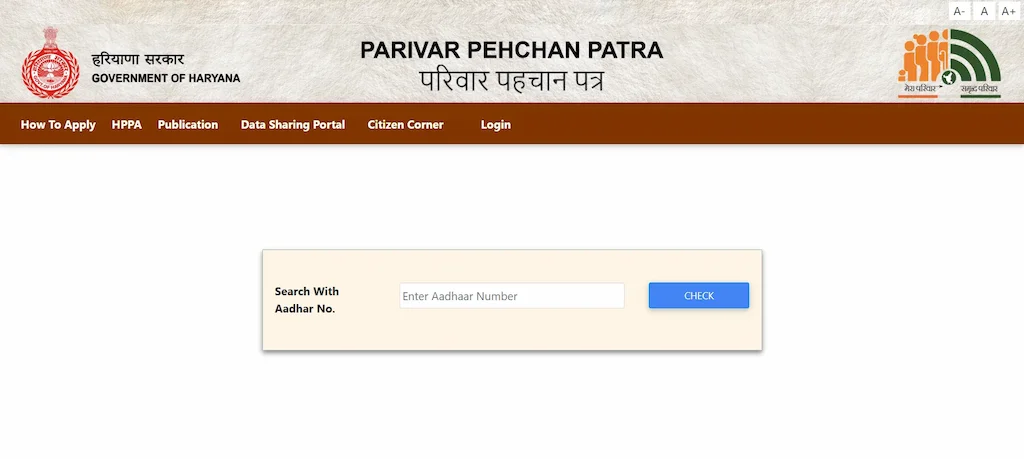
- Open the official PPP portal: ppp-office.haryana.gov.in.
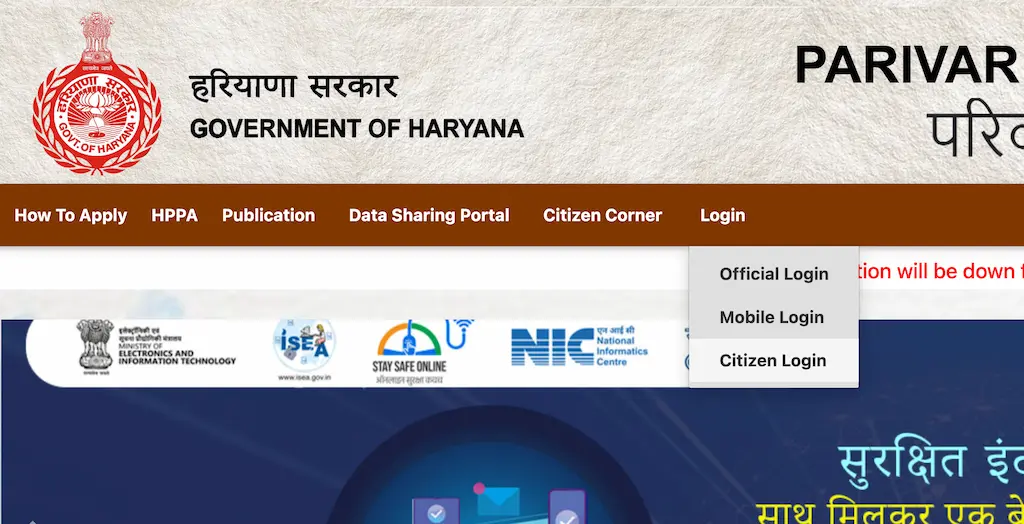
- Click "Citizen Login" on the homepage.
- When asked if you have a Family ID, choose create a new Parivar Pehchan Number (PPN).
- Enter the Aadhaar number of the Head of the Family.
- An OTP is sent to the Aadhaar-linked mobile number. Enter it to verify.
- Your name and date of birth auto-fill from Aadhaar. Fill in the remaining details – other members, income, address, and occupation.
- Upload required documents (PDF format, under 200 KB each).
- Review everything carefully and click "Submit".
- A Temporary Family ID (starts with "T") is generated instantly. Note it down, you need it to track your application.
How to Log In to the Family ID Portal
Once your Family ID is created, login is simple – no password needed, just your Family ID and a mobile OTP:
- Go to ppp-office.haryana.gov.in.
- Enter your Family ID number or registered mobile number.
- An OTP is sent to your registered mobile number.
- Enter the OTP and click "Login".
- Your dashboard opens. From here you can view family details, update records, download your card, or apply for services.
What Happens After You Register
Here is what happens from the day you submit your application to the day your permanent ID is ready.
The full process usually takes 10 to 30 working days. During busy periods it may take a few extra days. If there is no update after 35 working days, call the PPP helpline at 0172-4880500.
How to Check Haryana Family ID Status
After applying for your Haryana Family ID (Parivar Pehchan Patra), you can track the status of your application online. The process is completely free – always use the official PPP Haryana website.
- Visit the Official Website: Go to meraparivar.haryana.gov.in.
- Enter Your Details: Enter one of the following – your Family ID number, application number (if received during registration), or registered mobile number.
- Verify with OTP (if required): If you're using a mobile number, verify with the OTP sent to your phone.
- View Status: After verification, you'll be able to see the current status of your application.
How to Download Your Family ID Card
Once your Family ID is approved, you can download a digitally signed copy anytime:
- Log in to ppp-office.haryana.gov.in using your Family ID and OTP.
- After logging in, click on the "Print PPP Form Step" option in your dashboard.
- Click "Print" to save the PDF to your device.
- Print it if you need a physical copy for school, the bank, or any government office.
How to Update Your Family ID Details
To update any information in your Haryana Family ID, follow these general steps:
- Log in to the official PPP portal with your Family ID and OTP.
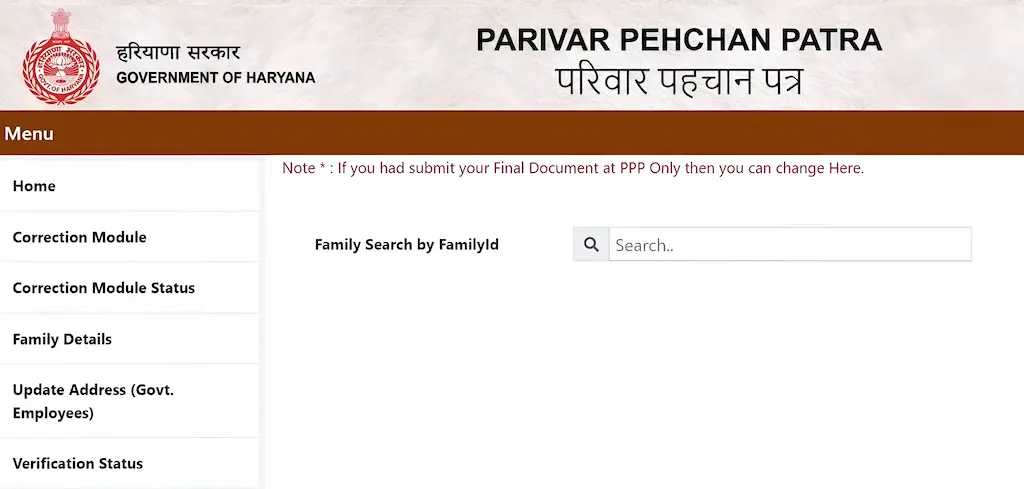
- Go to "Family Details" in your dashboard and open the "Correction Module".
- Search and select what you want to change – name, address, mobile number, income, or family members.
- Enter the corrected details and upload supporting documents (PDF, under 200 KB).
- Submit. A confirmation SMS will be sent to your registered mobile number.
If you prefer in-person help, visit any SARAL Kendra, CSC centre, or Common Service Centre. Carry originals and photocopies of your documents.
Benefits of Having a Family ID
- No repeated paperwork: Submit your documents once. Government departments verify details directly from the PPP database.
- Automatic eligibility check: The system reviews your income, caste, and other details to show which schemes you qualify for.
- Direct Benefit Transfer (DBT): Pensions, scholarships, and subsidies go straight to your bank account with no middlemen.
- Ration card access: Your Family ID connects to the public distribution system for easier ration services.
- Scholarships and admissions: Most scholarship applications in Haryana now require your Family ID.
- Health scheme benefits: Ayushman Bharat and state health schemes are delivered faster to registered families.
- Less corruption: System-verified eligibility filters out fake beneficiaries so genuine families get the right benefits.
Major Schemes Linked to Your Family ID
Once your Family ID is active and details are correct, these key schemes become accessible without a separate application in most cases.
Family ID is also required for disability pension, widow allowance, Mukhyamantri Vivah Shagun Yojana, solar panel subsidy, and free tablet distribution for students. Keeping your record accurate is key to getting these benefits without delays.
Temporary vs Permanent Family ID
When you first register, you get a Temporary Family ID instantly. After document verification, it upgrades to a Permanent Family ID. Here is what changes between the two stages.
| Feature | Temporary Family ID | Permanent Family ID |
|---|---|---|
| ID Format | 9 digits, starts with "T" (e.g. T12345678) | 8 digits, no prefix (e.g. 1ABC5678) |
| Issued When | Right after submitting the registration form | After government verification, usually 10–30 working days |
| Document Verification | Pending | Completed |
| Access to Schemes | Limited access only | Full access to all 400+ linked schemes |
| Download Card | Not Available | Available |
| DBT Eligible | Not Eligible | Eligible |
| Ration Card Use | Not Applicable | Applicable |
| Scholarship / Admission | May not be accepted | Accepted |
| Valid as Address Proof | Not Accepted | Accepted |
| Track Status | Yes – use temporary ID on status portal | Yes – login via permanent ID |
Income Categories in the Family ID System
Your family's annual income in the PPP record decides which schemes you qualify for. Make sure this figure is entered correctly during registration.
- Up to Rs. 1,80,000 per year: Families may be considered for Antyodaya and income-based welfare schemes, subject to scheme-specific eligibility criteria.
- Up to Rs. 2,00,000 per year: Eligible members may qualify for schemes such as Old Age Samman Allowance, Widow Pension, and Ladli Social Security Allowance, depending on age and other conditions.
- Up to Rs. 3,00,000 per year: Certain social security schemes, including updated pension-related benefits, may apply based on the latest Haryana Government criteria.
- Above the prescribed income limits: Families may continue to access general government services through the PPP portal, but income-based welfare schemes may not be applicable.
Common Problems and How to Fix Them
- OTP not received: Your mobile number may not be linked to Aadhaar, or it may have changed. Update it at a CSC or SARAL Kendra first, then try again.
- Wrong name or date of birth: Use the Correction Module on the portal and upload the correct supporting document (birth certificate, voter ID, etc.).
- Application stuck at "pending" for weeks: Wait out the full 10 to 30 working day window. If there is no update after 30 days, call the PPP helpline.
- Showing "ineligible" for a scheme: Your income or other details in the database may not match the scheme's criteria. Review and update your family record.
- Duplicate Family ID flag: The system auto-detects duplicates. If you are flagged incorrectly, contact the PPP helpline and bring your Aadhaar proof.
- Benefits stopped after an update: Updating income or family members can change your eligibility. Contact the relevant department to review your case.
Where to Get Help With Your Family ID
If you are stuck at any point – registration, correction, or download multiple support options are available.
For issues about a specific scheme (pension not arriving, ration card not updated), contact that department directly. The PPP helpline handles Family ID registration, corrections, and status issues only.
Frequently Asked Questions
PPP stands for Parivar Pehchan Patra. Every registered household in Haryana gets a unique 8-digit number that connects them to government services and welfare schemes across the state.
Yes, completely free. Registration, updates, corrections, and downloading the card all cost nothing. Do not pay anyone at any step — report it to the helpline if someone asks.
It generally takes 10 to 30 working days for officials to verify your documents and convert the temporary ID into a permanent one. Track the status using your temporary ID on the PPP portal.
Yes. Non-permanent residents who need access to Haryana government services can apply. They receive a temporary 9-digit Family ID starting with "T", which gives limited access to state services.
No. Each family is allowed only one Family ID. The system automatically detects and blocks duplicates. If yours is flagged by mistake, call the PPP helpline with your Aadhaar proof.
Yes. Log in to the portal and use the Correction Module under "Family Details" to add or remove members, change address, mobile number, income, and more. You can also visit a SARAL Kendra or CSC centre for help.
The official website is ppp-office.haryana.gov.in. Always use this link. Avoid third-party sites that may look similar but are not official.
No password is needed. Just enter your registered mobile number on the login page and use the OTP sent to it. If your mobile number has changed, visit a SARAL Kendra or CSC centre to update it first.
Yes, for most Haryana government schemes, it is now mandatory. This includes pensions, ration cards, scholarships, health cards, and housing allotments. It is also increasingly required for college admissions and bank accounts.
A mismatch between your Aadhaar records and what you enter may cause the registration to fail or be flagged. First correct the discrepancy in your Aadhaar via the UIDAI portal or an enrolment centre, then re-attempt registration.
Yes. Log in to the PPP portal, go to the Correction Module, and add the newborn as a family member with the birth certificate as proof. Do this within a few months of birth so the child is included in your family's benefit records.
The Family ID stays valid. Another adult member can request to become the new family head through the Correction Module. Upload the death certificate and ID of the new head. Visit a SARAL Kendra if you need help with this.
Call the PPP Haryana helpline at 1800-2000-023 (toll-free). You can also visit your nearest SARAL Kendra, CSC centre, SDM office, or Tehsil office for in-person support.
Yes, through the Correction Module on the portal. This is needed when the head passes away, leaves the state, or a family split happens. You will need supporting documents such as a death certificate, legal separation proof, or consent letter.
Yes. After marriage, she can be removed from her parents' Family ID and added to her husband's record, or a new Family ID can be created for the new household. This is done through the Correction Module or at a CSC centre with the marriage certificate.